
Deploy API on your server 💻
To deploy our API on your server you only need to create a .env file and fill it with your secret phrase to allow for token authentication. This file should be located in the root folder. You can also set request limits in that file.
Before you begin:
IMPORTANT
⚠️ The latest version of the API migrated to Prisma, so to connect to the database, only the DATABASE_URL parameter is needed.
⚠️ Since the migration to Prisma, PostgreSQL is no longer the only database that works. However, the provider needs to be replaced in the prisma.schema file.
⚠️ Make sure to also test every form before deploying to ensure everything is configured correctly.
.env file
The example file should look like this:
RATE_LIMIT_TTL_SEC=60
RATE_LIMIT_REQ_COUNT_PUBLIC=20
RATE_LIMIT_REQ_COUNT_AUTH=100
JWT_SECRET_KEY=YourSecretPhrase
RECAPTCHA_SECRET_KEY=YourRecaptchaSecretKey
VITE_RECAPTCHA_SITE_KEY=YourRecaptchaSiteKey
PORT=YourHTTPServerPort
DATABASE_URL="yourDbUrl"
EMAIL_ADDRESS_SENDER=sender@gmail.com
EMAIL_ADDRESS_RECIPIENT_ARR=admin1@gmail.com,admin2@gmail.com
EMAIL_CLIENT_ID=YourClientId
EMAIL_CLIENT_SECRET=YourClientSecret
EMAIL_REDIRECT_URI=YourRedirectUri
EMAIL_REFRESH_TOKEN=YourClientRefreshToken
MIXPANEL_PROJECT_TOKEN=YourMixPanelToken
SENTRY_DSN=YourSentryToken
Each variable listed below must be configured unless explicitly marked as optional. The API will not start if required variables are missing.
| Variable Name | Description | Required |
|---|---|---|
RATE_LIMIT_TTL_SEC | Specifies the time window (in seconds) before the request counter is reset. | Yes |
RATE_LIMIT_REQ_COUNT_PUBLIC | Defines the maximum number of requests allowed within the specified time window for unauthenticated requests. | Yes |
RATE_LIMIT_REQ_COUNT_AUTH | Defines the maximum number of requests allowed within the specified time window for authenticated requests. | Yes |
JWT_SECRET_KEY | Secret key used to derive and validate JWT tokens (Defined by you, can be any string). Must be set before the server starts. | Yes |
RECAPTCHA_SECRET_KEY | Secret key for Google reCAPTCHA. Ensure reCAPTCHA v3 is selected when generating the key. (Guide on how to obtain) | Yes |
VITE_RECAPTCHA_SITE_KEY | Site key for Google reCAPTCHA (generated together with the secret key above). It is used by the API key forms and is embedded when they are built, so rebuild the forms after changing it. | Yes |
PORT | Port on which the API server runs. Defaults to 3001 if not provided. | No |
DATABASE_URL | Database connection URL. Refer to the documentation for instructions on generating this value. | Yes |
EMAIL_ADDRESS_SENDER | Email address used to send responses to submitted forms. | Yes |
EMAIL_ADDRESS_RECIPIENT_ARR | One or more email addresses that receive submitted form responses. | Yes |
EMAIL_CLIENT_ID | OAuth client ID required by Nodemailer. (Guide on how to obtain.) | Yes |
EMAIL_CLIENT_SECRET | OAuth client secret required by Nodemailer. (Guide on how to obtain.) | Yes |
EMAIL_REDIRECT_URI | OAuth redirect URI required by Nodemailer. (Guide on how to obtain.) | Yes |
EMAIL_REFRESH_TOKEN | OAuth refresh token required by Nodemailer. (Guide on how to obtain.) | Yes |
MIXPANEL_PROJECT_TOKEN | Token used for request-level analytics (no amounts or wallet addresses are stored). | No |
SENTRY_DSN | DSN token for Sentry error tracking and debugging. | No |
Build the API
The API key forms (generate API key and request a higher limit) live in a separate app, apps/xcm-api-forms, which the API serves under /app. The forms must be built together with the API, otherwise these pages will not be available.
Run the following command from the root of the xcm-tools monorepo. The ... suffix tells pnpm to also build every workspace package the API depends on, including the forms:
# Install dependencies
pnpm install

# Build XCM API together with its dependencies (including the forms)
pnpm --filter xcm-api... build

# Start the built API
pnpm --filter xcm-api start:prod
TIP
The forms read VITE_RECAPTCHA_SITE_KEY from the API's .env file at build time. Make sure the .env file is filled in before you build.
If you have configured everything correctly, you should receive emails similar to the one showcased below. These should be received at the email addresses you specified in the EMAIL_ADDRESS_RECIPIENT_ARR configuration line.
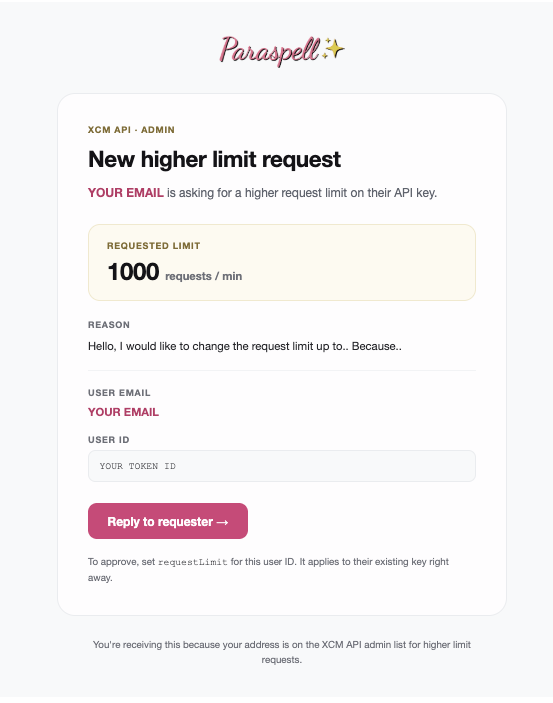
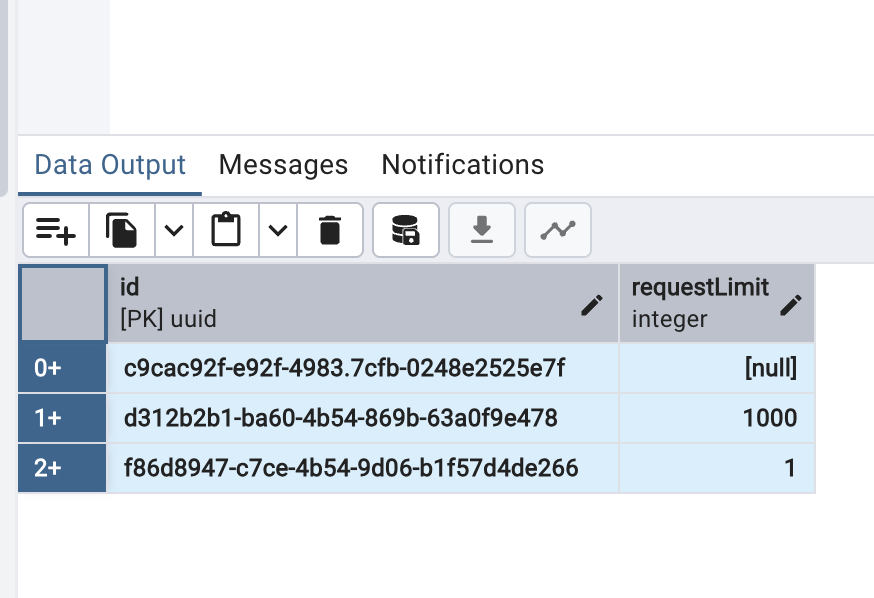
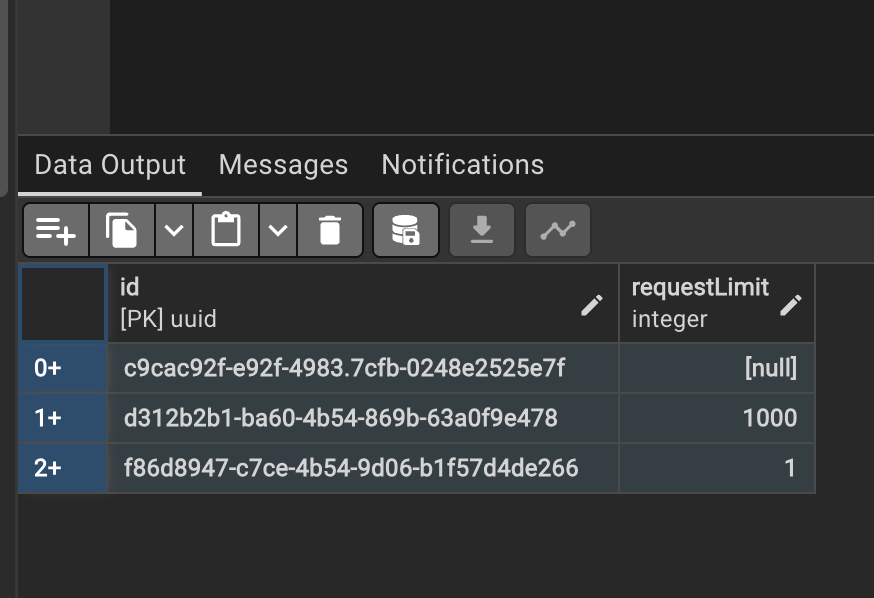
Based on the UserID received in the email you can edit the maximum request amount for a specific API key.
Database overrides maximum request count.
If the value is left on null, the user keeps the default of 100 requests per minute of an API key user.
Setting up Sentry
Recently, XCM API introduced the Sentry error tracking service implementation. This guide covers how to use it.
- The first step is to register at this website.
- Create a new project to get the DSN token for the
.envfile used by XCM API.


- Monitor your issues through the dashboard. If you receive any unhandled issues, you should also be notified by email.
How to trigger Sentry test error
Open your REST API client; the client we use is Insomnia.
Paste in the following details and input the following link to test out Sentry: http://localhost:3001/v2/sentry-test
XCM API has integrated this test for you so you can test out error 500 in localhost mode. Once you paste the link into the browser, Sentry should notify you about a new error 500. It should look like this in your project:
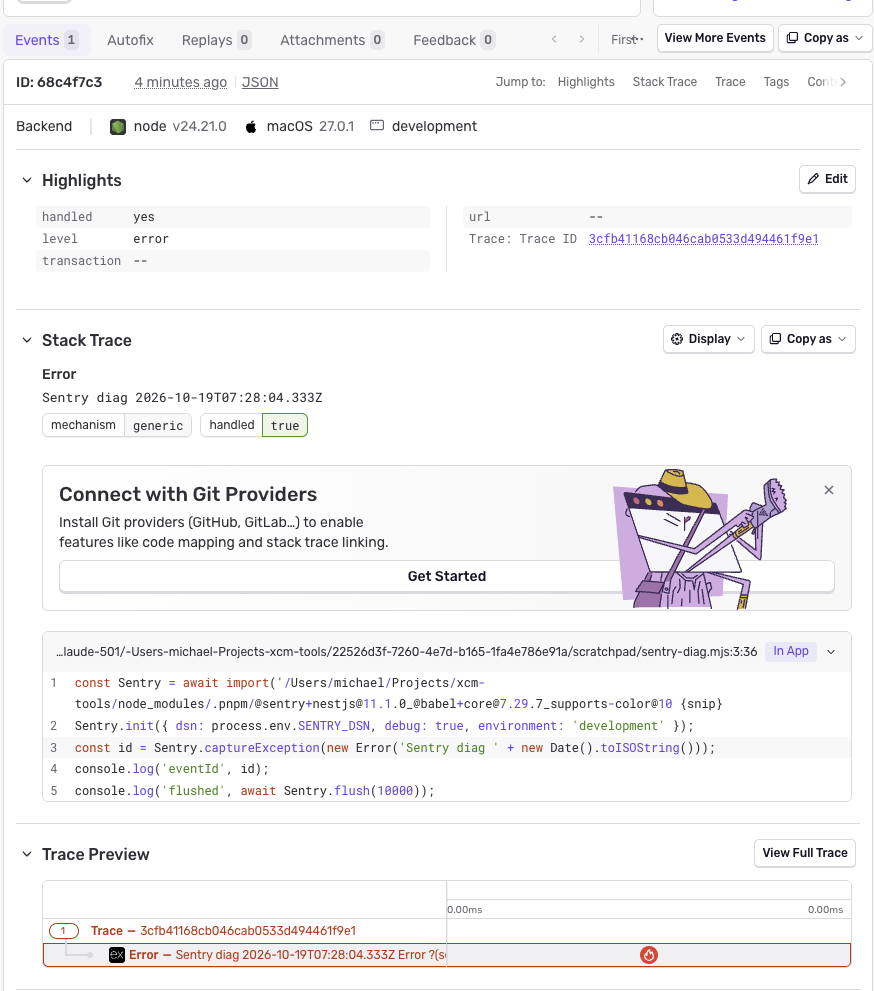
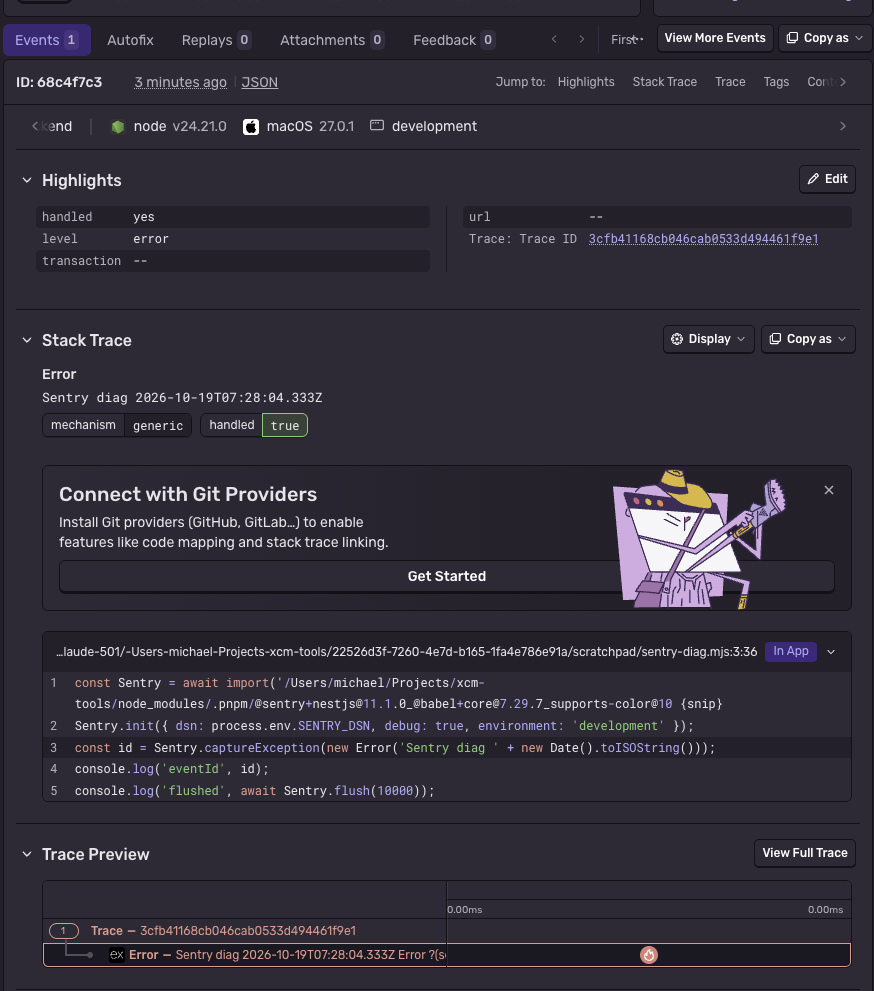
You can see that the exact line where the error was triggered is shown, and you can even try to ask AI for help with resolving the task for you.
This confirms that Sentry is working correctly.